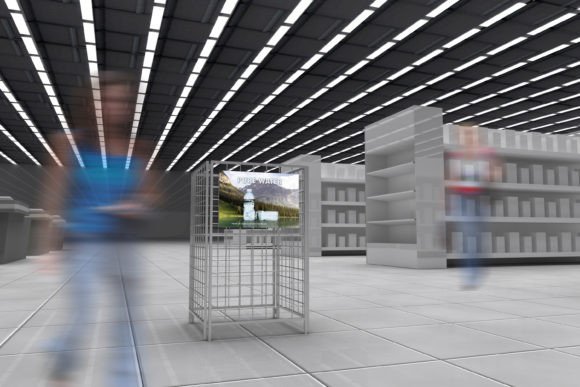
Super Market Storage Poster Mockup: A Smart Tool for Retail Visuals
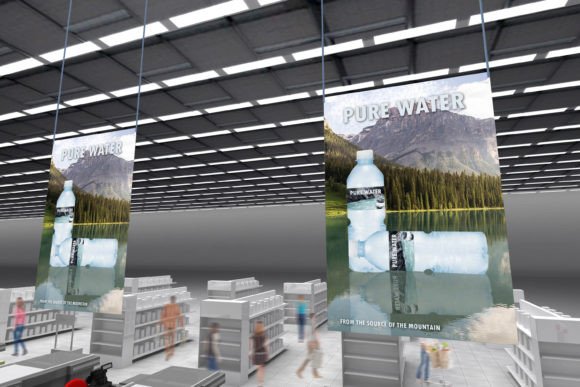
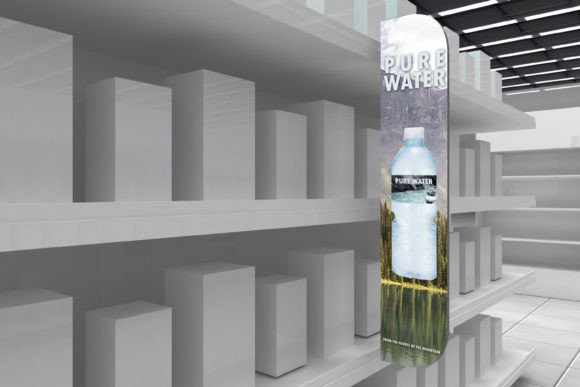
When launching a product or promoting a brand in a competitive retail environment, presentation matters. The Super Market Storage Poster Mockup offers a professional way to visualize posters in a realistic supermarket setting before they’re printed. This mockup is especially useful for marketers, designers, and business owners aiming to impress clients and shoppers alike. With its high-resolution 3000×2000 px format and layered PSD files, it allows for easy customization and realistic previews.
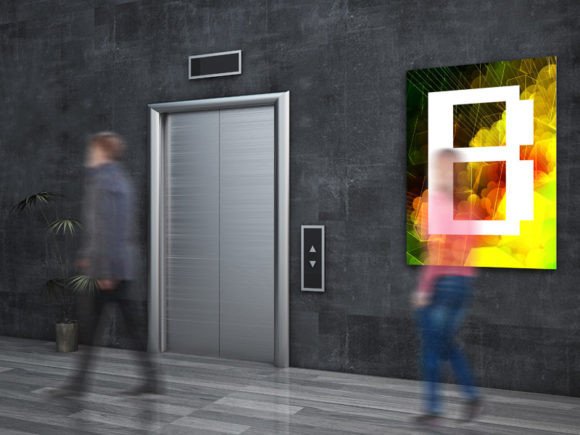
What makes this mockup stand out is its versatility. Whether you're designing for a grocery store, a supermarket, or a mall campaign, the mockup simulates how your poster will look in a real-world environment. It includes smart object layers, adjustable lighting, and photo filters, making it a powerful tool for visual storytelling. However, like any design asset, it's only as effective as the person using it. Mistakes in selection, setup, or application can lead to poor results.
Common Mistakes When Using the Super Market Storage Poster Mockup
Many users jump into using the mockup without fully understanding its features or requirements. Here are some common missteps and how to avoid them:
1. Not Checking Software Compatibility
The mockup requires at least Photoshop CS5 to function properly. Trying to open or edit it in an older version can lead to missing layers, broken smart objects, or distorted visuals. Always verify your software version before purchasing or downloading.
2. Ignoring Layer Organization
While the layers are labeled and grouped for clarity, some users overlook this structure and start editing directly on the wrong layer. This can cause unintended changes to lighting, shadows, or background elements. Take a few minutes to explore the layer setup before inserting your design.
3. Poor Image Quality in Smart Objects
One of the most frequent issues comes from inserting low-resolution artwork into the smart object layer. Since the mockup is high-resolution, using blurry or stretched images will make the final preview look unprofessional. Always use high-quality, properly scaled graphics that match the mockup’s resolution.
4. Overlooking Lighting and Contrast Adjustments
The mockup gives you control over light and contrast settings, but many users skip this step. Failing to adjust these can make your poster look out of place in the scene. Spend time fine-tuning these settings to ensure your design blends naturally with the environment.
5. Misjudging the Display Context
Not all supermarket environments are the same. Some users place their posters in a mockup that doesn’t match their actual display location—like using a warehouse-style mockup for a sleek mall campaign. Always choose a visual setting that closely mirrors where your poster will be displayed.
How These Mistakes Affect Results
Each of these errors can significantly impact the outcome of your mockup presentation. For example, using a low-quality image inside the smart object can make your client doubt your professionalism. Similarly, incorrect lighting or mismatched environments can misrepresent how the poster will appear in real life, leading to costly revisions or delays.
From a marketing perspective, poor mockups can harm brand perception. If your visuals don’t look polished or realistic, clients or stakeholders may question your attention to detail. On the other hand, using the Super Market Storage Poster Mockup correctly can help you present ideas confidently, streamline approval processes, and avoid costly print errors.
How to Avoid These Issues: Practical Tips
- Verify software compatibility: Ensure you're using Photoshop CS5 or newer before purchasing or downloading the mockup.
- Use high-resolution graphics: Insert only crisp, properly scaled images into the smart object to maintain visual clarity.
- Adjust lighting and filters: Match the mockup’s lighting and color tone to your design to create a cohesive look.
- Review layer structure: Take a moment to understand how the layers are organized. This helps prevent accidental edits and ensures smoother customization.
- Select the right scene: Choose a mockup version that reflects the actual retail environment where your poster will be displayed.
Real-World Example: A Smarter Way to Use the Mockup
Imagine you're launching a new line of organic products and need to present your poster design to a supermarket chain. Instead of showing a flat image, you use the Super Market Storage Poster Mockup to simulate how the poster would look in a real aisle. You insert your design into the smart object, adjust the lighting to match the store’s fluorescent lights, and tweak the contrast so your brand colors pop. The result is a realistic, professional preview that helps the client visualize the final product.
By taking a few extra steps—like checking your image resolution and adjusting environmental settings—you avoid common pitfalls and create a more compelling presentation. This not only impresses your client but also reduces the need for last-minute changes or reprints.
What to Check Before Downloading or Using the Mockup
Before you commit to using the Super Market Storage Poster Mockup, consider the following checklist:
- Do you have Photoshop CS5 or newer?
- Is your design file high-resolution (300 DPI) and properly formatted?
- Does the mockup scene match the intended display location (e.g., supermarket aisle vs. warehouse)?
- Are the lighting and background elements suitable for your brand’s aesthetic?
- Have you tested the mockup with a sample design before finalizing?
Answering these questions can help you avoid costly mistakes and ensure your mockup serves its intended purpose: to impress, inform, and guide your audience effectively.
Final Thoughts
The Super Market Storage Poster Mockup is a valuable asset for any retail or marketing campaign. It helps you visualize your design in context, streamline approvals, and reduce printing errors. But like any tool, its effectiveness depends on how well you use it. By avoiding common mistakes and taking the time to understand its features, you can create more compelling, realistic, and professional presentations.
Whether you're a seasoned designer or just starting out, this mockup can be a powerful part of your toolkit. Just remember to approach it with care, attention to detail, and a clear understanding of your goals. With the right preparation, you’ll not only avoid pitfalls but also impress your clients and elevate your brand’s visual presence.